

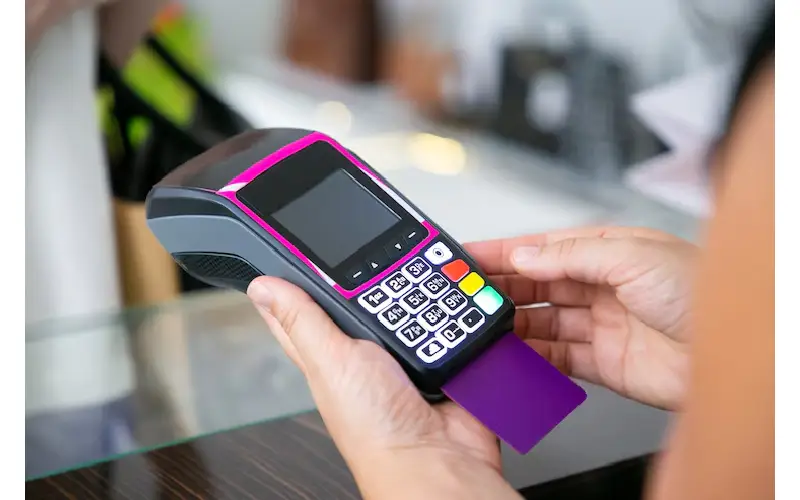
Switching your card payment machine in the UK involves understanding your current contract and knowing what options suit your business needs. Start by reviewing your existing agreement, especially contract length and any exit fees. Check if you can keep your current hardware or if a new system is required, since some providers do not allow reuse of their machines. Then, research new payment providers based on fees, services offered, and customer support. Some companies even cover exit fees to ease the transition. After signing up with a new provider, schedule the switch carefully to avoid downtime by keeping both systems active until fully set up and tested with trained staff ready.
What Is a Merchant Payment Provider and How It Works?
A card payment machine in UK provider is a company that helps businesses accept payments through various channels like card machines, mobile devices, online platforms, and bank transfers. They act as middlemen between the merchant, the customer, and banks to make sure payments are processed securely and efficiently. In the UK, popular providers include Worldpay, Paymentsense, Takepayments, PayPal, Amazon Pay, and ApplePay. These providers support multiple payment methods such as chip and pin, contactless payments, mobile wallets, and online transactions. They often supply hardware tailored to different needs, like countertop, portable, or mobile card machines. For online businesses, merchant payment providers offer payment gateways that allow customers to pay via websites or apps. Additional services often include fraud protection, PCI compliance support, and detailed transaction reporting. Some providers also offer pay-by-link, virtual terminals, and MOTO (mail and telephone order) options for remote sales. Typically, merchants pay fees on each transaction, monthly rental or subscription fees for equipment or services, and sometimes setup or cancellation fees. The provider handles the authorization of payments, settles transactions, and transfers the funds to the merchant’s bank account, usually within one to three business days.

Reasons to Switch Your Card Payment Machine Provider
Switching your card payment machine provider can bring several important benefits that help your business run smoother and save money. One of the biggest reasons is reducing processing fees and overall costs, which directly improves your profitability. Many providers charge high or hidden fees that can add up quickly, so leaving those contracts frees you from unexpected charges. Better customer service and faster technical support also matter: when your machine goes down, quick help keeps your business running and cuts frustration. Upgrading to newer technology is another key reason, as it ensures your system stays compatible with evolving payment methods like contactless and mobile payments, which customers increasingly expect. Security improvements, such as EMV compliance and advanced fraud detection, protect your business from costly risks. Flexibility is important too; switching providers can get you out of long-term, inflexible contracts that limit your control. Some providers even help cover exit fees or offer cancellation protection, making the switch less costly. Finally, better integration with your existing POS or accounting systems can simplify operations, and offering faster, smoother payment experiences keeps you competitive in a market where customers demand convenience and speed.
Who Can Switch Your Card Payment Machine in the UK?
To switch your card payment machine in the UK, your business must meet certain eligibility criteria. Generally, businesses need to have been trading legally in the UK for at least six months. This ensures there is some operational and transactional history for payment providers to assess. The business must be officially registered and not involved in selling illegal or prohibited goods or services. Eligible entities usually include sole traders, partnerships, limited companies, and registered charities. Startups may face extra checks but can switch once they establish a business track record. A UK bank account is essential because it is used to receive payment settlements. Some providers also require a minimum monthly transaction volume to approve the switch, especially for higher-risk sectors, which may face stricter underwriting. If you are currently locked in a contract, you can still switch but need to review termination terms and potential fees carefully. When applying to switch, you will typically need to provide proof of identity, business details, and recent transaction history to complete the process smoothly.
When Should You Consider Changing Your Payment Provider?
You should consider changing your payment provider if your current setup no longer meets your business or customer needs. For example, if your provider does not support popular payment methods like contactless or mobile wallets, it can frustrate customers and limit sales. High or unclear fees that eat into your profits are another strong reason to switch. Being locked into a long-term contract without flexibility can also hold your business back, especially if you find better offers elsewhere. Frequent technical issues or slow customer support can disrupt your operations and cause delays at checkout. If your customers start asking for newer payment options or complain about problems processing payments, it’s a clear sign to explore alternatives. As your business grows, your current system may struggle with increased transaction volumes or fail to integrate with your POS or accounting software, hindering efficiency. Security is another critical factor, if fraud incidents rise and your provider does not offer adequate protection, it’s time to look for a more secure solution. Finally, upgrading your equipment to speed up checkout and improve user experience can justify switching providers, especially when you find one offering better terms, lower fees, or more suitable services for your evolving needs.
Different Types of Card Payment Machines to Choose From
When selecting a card payment machine for your UK business, understanding the types available is key to matching the right solution with your operations. Countertop card machines are fixed devices ideal for businesses with a permanent location, offering reliability and ease of use at the checkout. Portable card machines provide wireless flexibility by connecting to tablets or smartphones, making them perfect for tableside or roaming sales environments like restaurants or pop-up shops. For even greater mobility, mobile card readers are compact, fully wireless units that connect via Bluetooth to phones or tablets, enabling payments anywhere. Online payment gateways serve e-commerce needs by processing card payments securely through websites or apps. Payment links offer a simple way to accept remote or contactless payments by sending customers a URL, eliminating the need for any physical hardware. Virtual terminals are web-based interfaces that let businesses manually enter card details for phone or mail orders, useful for taking payments without face-to-face contact. Integrated POS systems combine payment processing with sales tracking, inventory management, and customer data, streamlining business operations into one platform. Many devices now support contactless payments, enabling tap-to-pay for faster checkouts, while EMV chip and pin terminals enhance security by reading embedded chip cards. Hybrid machines offer versatility by accepting multiple payment types, including chip and pin, contactless, and mobile wallets like Apple Pay or Google Pay. Choosing the right type depends on your business size, sales environment, and customer preferences, ensuring you stay up-to-date with payment technology and provide smooth, secure transactions.
Check Your Current Contract and Terms
Before switching your card payment machine provider, carefully review your existing contract to understand all terms and conditions. Start by checking the length of your contract and whether it includes automatic renewal clauses that could extend your commitment without notice. Identify any early termination or exit fees that might apply if you decide to switch before the contract ends, as these can add unexpected costs. Look into the specifics of your hardware arrangement: whether you own your card machine, rent it, or lease it, and what the return policy is if you have to send equipment back. It’s important to confirm any required notice periods for canceling your contract to avoid penalties or service disruption. Also, check if your current provider offers discounts or incentives that you would lose upon switching. Review your monthly statements closely for recurring fees, transaction charges, and any hidden costs that might not be obvious at first glance. Finally, examine clauses related to service levels and support guarantees, as these could impact your decision if your current provider offers reliable assistance that a new provider might not match. Being thorough at this stage helps you avoid surprises and prepares you for a smoother transition.
Evaluate Your Existing Payment Equipment
Before switching your card payment machine provider, take a close look at the equipment you currently use. Start by confirming whether your card machines are owned or rented, since rented devices often need to be returned, while owned ones might be reused or sold. Check if your point of sale (POS) system is open or closed: open systems usually allow hardware reuse with new providers, but closed systems like Square or Zettle typically require new machines. Assess the condition and age of your equipment to decide if it’s worth keeping or if upgrading to newer, faster, or more secure terminals makes sense. Consider what payment types you want to accept going forward, does your existing hardware support contactless, mobile wallets, or chip-and-PIN? Also, evaluate how well your current system integrates with your accounting and inventory software, as smooth integration can save time and reduce errors. Look out for any devices needing firmware updates or replacements to avoid future problems. Think about the ease of use and reliability for both your staff and customers: outdated or clunky machines might slow down transactions and frustrate users. Finally, review any ongoing maintenance or support costs tied to your equipment, as switching to a provider with newer hardware might reduce these expenses. This thorough evaluation helps you make an informed choice about whether to keep your current setup or invest in modern payment machines that better suit your business needs.
Find and Compare New Payment Providers
Start by gathering quotes from several payment providers to compare their fees, contract lengths, and terms. Using comparison services like Merchant Savvy can help you get tailored offers and improve your chances of negotiating better deals. Check if any providers cover exit fees or offer cancellation fee protection, which can save you money when leaving your current contract. Verify that the providers support the payment options you need, such as contactless, mobile payments, or online gateways, and confirm they offer compatible hardware that suits your business setup. Assess customer service quality by looking into availability, response times, and whether they provide UK-based 24/7 support for easier access when you need help. Fast setup and equipment delivery are important too; some providers can get you up and running within a few days. Also, confirm if the new provider integrates smoothly with your existing POS or accounting software to avoid extra hassles. Ask about onboarding assistance, including training and technical support, to ensure your staff can adapt quickly. Don’t forget to review security features like PCI compliance and fraud protection to keep your transactions safe. Considering all these factors together will help you choose a payment provider that fits your operational needs and supports your business growth.
Apply and Sign Up With Your New Provider
When you’re ready to apply with your new payment provider, start by completing the application with accurate business and financial details. This information is crucial for underwriting and approval. Take your time reading all contract terms carefully, paying close attention to fees, contract length, and any exit clauses. Confirm exactly what hardware and payment methods are included in your package, whether it’s countertop machines, mobile readers, or online payment options. Don’t hesitate to ask about delivery times for your new card machines and any setup instructions to avoid surprises. Make sure you’ve secured approval and signed the merchant agreement before canceling your old contract to prevent any downtime. Also, check for any setup or activation fees so you can budget accordingly. Understanding the provider’s support process is important too, know how to reach help if you encounter issues. Request documentation on PCI compliance and security standards to ensure your business stays protected. Keep copies of all signed agreements and any correspondence for your records. Finally, schedule your switch date carefully to avoid overlap or gaps in service, ensuring your payment processing stays seamless throughout the transition.
Plan Your Switch and Cancel Old Contract
Before canceling your current card payment contract, notify your provider according to the terms outlined in your agreement. It’s important not to cancel your existing service until your new card machines have arrived and are fully operational to avoid any downtime that could impact sales. Coordinate the delivery and setup of your new equipment carefully, ideally scheduling the switch during slower business hours to minimize disruption. Make sure your staff is trained on the new payment system before going live, so transactions run smoothly from day one. If you leased your previous machines, return them promptly to comply with your contract and avoid extra charges. Keep thorough records of all cancellation notices and confirmations you receive from your old provider. Confirm the final billing and settle any outstanding fees to close out your previous account cleanly. Once your new system is active, test it thoroughly and monitor the first few transactions to catch any issues early and ensure seamless payment processing.
Set Up New Card Machines and Train Your Staff
Begin by unboxing and assembling your new card machines following the setup guide provided by your payment provider. Connect the devices to power and the internet or mobile network if required for activation. Use the provider’s app, software, or activation code to activate each machine. Before going live, run test transactions to ensure payments process smoothly and there are no technical issues. Train your staff on operating the new machines, covering how to accept various payment types such as chip, contactless, and mobile wallets. Make sure they understand how to process refunds and cancellations on the new system. Equip your team with basic troubleshooting tips for common problems, like network interruptions or declined cards, and clearly explain who to contact for technical support and how to reach them. It’s helpful to schedule follow-up sessions after the switch to address any questions or challenges staff might face. Finally, document the setup and training steps for future reference or onboarding new employees, ensuring consistency and confidence in using the new payment equipment.
Common Problems When Switching and How to Avoid Them
One major issue when switching card payment machines is starting the process without confirming the new equipment has arrived, which can cause costly payment downtime. Always wait until you have the new machines ready before canceling your old contract. Another common pitfall is not fully understanding exit fees and contract terms; this can lead to unexpected charges that hurt your budget. Carefully review your current agreement and ask your new provider about any hidden costs. Using incompatible hardware with your new provider is a frequent cause of delays. Check compatibility early to avoid needing new devices last minute. Poor communication with both your current and new providers often results in overlaps or gaps in service, so keep all parties informed and coordinate timelines clearly. Staff errors and slower transactions often happen if training is ignored; take advantage of any onboarding resources and let your team practice before going live. Failing to test the new system beforehand can disrupt sales, so run thorough tests in a low-pressure setting. Overlooking the need for updated payment options means losing customers who want modern methods like contactless or mobile pay. Also, don’t stop using your old system until the new one is fully operational to minimize downtime. Gathering and preparing all necessary business information early speeds up approval and setup. Lastly, underestimating the switching timeline may cause rushed or incomplete transitions; plan realistically and build in extra time to handle unexpected hiccups.
Tips for a Smooth and Cost-Effective Payment Provider Switch
Keep your current card machine active until the new one is fully installed and tested to avoid interrupting your sales. When selecting a new provider, look for those who cover exit fees or offer cancellation fee protection to reduce unexpected costs. Always request detailed quotes that include hardware expenses, processing fees, and contract length to compare total costs accurately. Using comparison services like Merchant Savvy can help you negotiate better deals by leveraging market knowledge. Confirm that your new provider supports the payment methods your customers prefer, such as contactless, mobile wallets, or pay-by-link options. Ensure customer support is available 24/7 and based in the UK for timely assistance during the transition. Verify hardware compatibility with your existing POS system if you plan to keep it, avoiding the need for costly upgrades. Maintain thorough records of all contract documents, communications, and cancellation notices for reference and potential disputes. Schedule the switch during low business hours or slower periods to minimize impact on sales and customer experience. Finally, train your staff ahead of time and provide quick reference guides to help them handle the new system confidently from day one.
- Keep your current card machine active until the new one is fully installed and tested.
- Choose providers who cover exit fees or offer cancellation fee protection.
- Request detailed quotes to compare total costs, including hardware, fees, and contract length.
- Use comparison services like Merchant Savvy to negotiate better deals.
- Check that the new provider supports the payment methods your customers prefer.
- Confirm customer support availability, ideally 24/7 and UK-based.
- Verify hardware compatibility with your existing POS system if you wish to keep it.
- Keep records of all contract documents, communications, and cancellation notices.
- Plan the switch during low business hours to reduce impact on sales.
- Train staff ahead of the switch and provide quick reference guides.
How Long Does It Take to Change Your Card Payment Machine?
Switching your card payment machine usually takes less than an hour once the new equipment arrives and is connected. Delivery times for new machines vary depending on the provider but typically fall between 2 to 5 business days. Some providers like Paymentsense can speed up this process and offer delivery and setup within 3 days. However, the overall timeline depends on factors such as your current contract terms, exit fees or notice periods might delay when you can officially cancel your existing agreement. Approval of your application with the new provider may take anywhere from a few hours to several days, depending on how quickly you provide required business information. After receiving your new machine, you should also allow time to train your staff and test the system, which can add a few extra hours. Planning the switch during slower business periods helps reduce downtime and keeps operations running smoothly. Switching online payment gateways can be quicker than physical machines but depends on how well the new system integrates with your existing setup. Be aware that unexpected issues like hardware incompatibility or technical glitches may extend the timeline. Coordinating well between your old and new providers is key to minimizing disruption and completing the switch efficiently.
Example Process: Switching With Paymentsense
Switching your card payment machine to Paymentsense starts by requesting a detailed quote that outlines fees, contract length, and coverage for exit fees up to £3,000. Once you review and accept the terms, you submit an application including your business and financial information to allow Paymentsense to complete underwriting and approve your account. After approval, Paymentsense will ship your new card machines before your current contract ends, ensuring you have everything ready to go. When you receive the equipment, activate it using the provided instructions, and take advantage of Paymentsense’s onboarding support to train your staff. Only after your new machines are fully set up should you contact your current provider to arrange contract cancellation, avoiding any disruption in payment processing. As you start using your Paymentsense machines, you can rely on their UK-based, 24/7 customer support for any questions or issues. The integrated payment options come at no extra cost, helping to streamline sales and reporting. Make sure to keep all documentation and carefully monitor your payment statements after switching to ensure everything runs smoothly.
What Information You Need Ready to Switch Providers?
Before switching your card payment machine provider, gather key details to make the process smoother. Start with your current payment provider’s information, including contract length, fees, and any exit penalties. Know your business type and the main products or services you offer, as this affects provider eligibility and rates. Be ready to share financial data like your annual turnover and average monthly card transaction volume, plus how long you’ve been trading, at least six months is required. Prepare recent monthly transaction statements that show payment volumes and fees paid; these help new providers tailor their offers. Have your business address and UK contact details handy since providers need this for verification. Clarify which payment methods you currently accept, such as chip and PIN, contactless, mobile wallets, or online payments. Note the details of your existing hardware or POS system, including whether you own or lease the equipment, as some providers allow you to keep your hardware while others don’t. If you have a business website for online sales, have the URL ready because it’s necessary for setting up online payment gateways. Finally, if you hold any compliance certificates like PCI DSS, keep them accessible, as they can speed up the approval process and demonstrate your commitment to security. Having this information organized will help you compare providers effectively and avoid delays during your switch.
Extra Support Services to Help During Your Switch
When switching your card payment machine provider in the UK, extra support services can make the process much smoother and less stressful. Many providers offer onboarding help that includes setup guidance and staff training materials, so your team quickly becomes comfortable with the new system. Some companies provide dedicated switching teams to coordinate the cancellation of your old contract and ensure the new setup goes live without disruption. To keep your business secure, PCI compliance assistance is often available, helping you meet payment security standards and protect customer data. Automated supply services are common too, delivering consumables like receipt rolls and printer paper so you never run out. Technical support teams usually offer 24/7 help for troubleshooting device issues or payment problems. Online resources such as FAQs, video tutorials, and step-by-step guides provide additional self-help options at any time. Account management support can help monitor your transaction reports and optimize fees after the switch, while fraud protection tools integrated with the payment system add an extra layer of security. Some providers also offer backup payment options or emergency support plans during the transition period, minimizing any risk of downtime. For businesses looking to save money and negotiate better rates, comparison and negotiation services like Merchant Savvy can be very useful in finding the best deals before you commit to a new provider.
Frequently Asked Questions
1. What should I check before switching my card payment machine in the UK?
Before switching, make sure your new machine supports the payment types your customers use, is compatible with your existing software, and meets security standards like PCI compliance.
2. How do I transfer transaction history and settings when changing to a new payment machine?
Most providers offer ways to export essential data like transaction history or settings, but it typically requires coordination with both your old and new providers to ensure a smooth transfer or backup.
3. Can I keep my current merchant account when switching to a different card payment machine?
Yes, it’s possible to keep your existing merchant account if the new machine is compatible. Check with your payment provider to confirm compatibility and any setup steps needed.
4. What kind of technical support or training should I expect when switching my card payment machine?
Reputable vendors usually provide setup assistance, technical support, and training resources to help you and your staff get comfortable with the new equipment quickly.
5. Are there security features I should consider when choosing a new card payment machine?
Definitely. Look for machines with chip and PIN support, contactless payments, end-to-end encryption, and regular software updates to keep customer data safe and comply with UK regulations.
TL;DR Switching your card payment machine provider in the UK involves understanding what merchant payment providers do and why you might want to switch, usually to lower fees, better service, or updated tech. Eligibility requires being a UK-based business trading for at least six months and not selling prohibited items. Look out for signs like high fees, poor support, or limited payment options. Decide on the type of card machine that fits your business, whether countertop, mobile, or online. Start by reviewing your current contract and equipment, then research new providers carefully, considering fees, contract flexibility, and support. Sign up, plan the switch to avoid downtime, and train your staff on the new systems. Common pitfalls include timing issues, unexpected fees, and hardware compatibility, so choose providers wisely and keep thorough records. The process is generally quick, especially with providers like Paymentsense who cover exit fees and offer support. Having your business details and current payment info ready speeds things up. Extra help like comparison and negotiation services can ease the transition and ensure a smoother, cost-effective switch.