

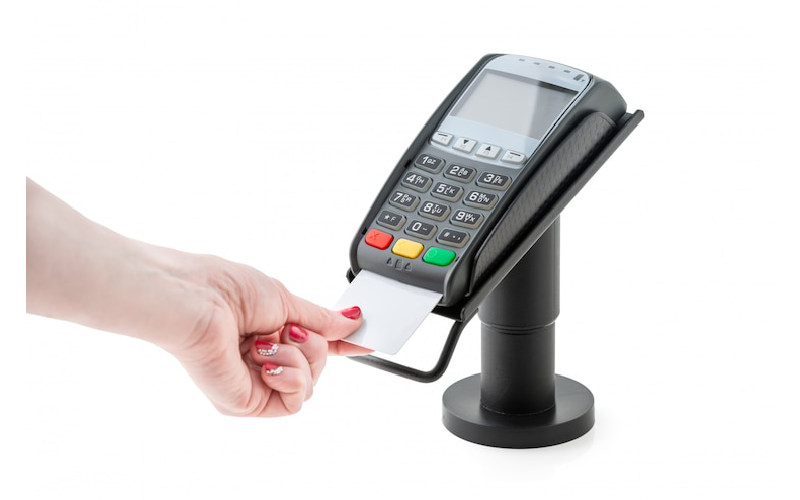
For startups searching for an affordable card machine, balancing hardware costs against ongoing fees is key. The Square Reader stands out as a popular choice: its basic magstripe reader is free, with the chip/contactless option around £45, and no monthly charges for essential software. This suits those starting small or testing the market. Helcim offers a slightly pricier reader (£75) but uses transparent interchange-plus pricing that can save money as sales grow, making it ideal for expanding businesses. Meanwhile, PayPal POS and SumUp provide good alternatives if you need flexibility like accepting Venmo or a device with screen display. Overall, picking cost-effective processing paired with the right hardware helps startups manage expenses sensibly while keeping payment options smooth and reliable.
What Startups Should Consider When Choosing Card Machines?
When selecting a cheapest card machine, startups should carefully weigh the upfront hardware cost against ongoing transaction fees to find an option that suits their budget and expected sales volume. For example, a free or low-cost reader might seem appealing initially but could carry higher per-transaction charges that add up over time. It is also important to check whether the device supports multiple payment methods including chip, swipe, contactless, and mobile wallets to cater to different customer preferences. Monthly fees for POS software or services vary widely; some devices come with no monthly charges but offer limited features, while others charge for advanced functionality that might benefit growing businesses. Ease of setup and use is crucial, especially for founders without technical skills or dedicated IT support, as complicated systems can slow down operations. Transparent pricing models like interchange-plus help avoid hidden or fluctuating fees and give a clearer picture of costs. Startups should also consider their expected transaction volume, since some pricing structures work better for low sales and others for steady or high volumes. For mobile card readers, battery life and charging times matter if sales happen on the move. Compatibility with third-party POS software or accounting tools can streamline bookkeeping and inventory management, saving time and reducing errors. Industry-specific features should be taken into account if operating in sectors like retail, hospitality, or food service, where specialised functions can improve efficiency. Finally, the quality of customer support and contract terms, including cancellation policies and hardware warranties, should not be overlooked, as these affect long-term satisfaction and flexibility.
- Assess upfront hardware cost against ongoing transaction fees to find a balance that fits your budget and sales volume
- Check if the card reader supports multiple payment methods: chip, swipe, contactless, and mobile wallets
- Consider monthly fees for POS software or services; some devices have no monthly fees, others charge for advanced features
- Evaluate ease of setup and use, especially if you lack technical expertise or dedicated IT support
- Look for transparent pricing models like interchange-plus to avoid hidden or fluctuating fees
- Think about your expected transaction volume as some pricing models suit low volumes, others are better for steady or high sales
- Review battery life and charging time for mobile readers if you plan to use them on the move
- Check compatibility with third-party POS software or accounting tools for smoother business operations
- Consider industry-specific features if your startup is in retail, hospitality, or food service sectors
- Factor in customer support quality and contract terms, including cancellation policies and hardware warranties

Top Cheapest Card Machines for Startups in 2025
When choosing a card machine for your startup in 2025, balancing hardware cost and transaction fees is key. Square Reader stands out with its free magstripe reader, making it a great choice for occasional sales without monthly fees. If you want chip and contactless payments, the $59 reader is still affordable, paired with straightforward processing fees. Helcim offers a $99 reader with transparent interchange-plus pricing and no monthly fees, which benefits startups expecting to grow and handle moderate sales volumes.
For a compact option, the SumUp Plus reader costs between £54 and £64, comes with a screen, and boasts long battery life. It doesn’t charge monthly fees for the reader alone but lacks advanced POS features, which might be fine for simpler setups. Clover Go, priced at £199, supports multiple payment types and third-party processors but often requires monthly fees for its advanced plans, potentially adding to startup costs.
PayPal’s POS Terminal also costs £199 and accepts PayPal and Venmo payments with slightly lower in-person fees, though its limited integrations and the need to transfer funds from PayPal accounts may slow cash flow. Square Terminal, at £299, is a handheld device with full POS features and an integrated receipt printer, suitable if you need a more complete system from the start.
For restaurant startups, Toast Go 2 is designed with industry-specific features but comes with a high upfront cost near £900, or a zero upfront option with higher fees and contracts, which may not suit every new business.
Ultimately, startups should consider the trade-off between low hardware costs and higher transaction fees or vice versa. For example, a free or low-cost reader like Square’s magstripe may cost more per transaction, while a device like Helcim’s reader demands upfront investment but offers cheaper processing fees over time. Matching the card machine to your expected payment volume and business size helps avoid unnecessary expenses, ensuring you only pay for what you truly need.
Square Reader: Free and Affordable Options
Square offers a straightforward entry point for startups looking for low-cost card payment solutions. Their magstripe reader is available for free and connects via Bluetooth to mobile devices, making it perfect for businesses with occasional or low-volume sales. While this free reader only supports card swipes, startups can upgrade to the chip and contactless reader for $59, with an optional $39 dock for countertop use. The contactless reader requires a 2 to 3-hour charge, which typically suffices for daily operations. One of Square’s biggest advantages is the lack of monthly fees for its basic point-of-sale software, significantly reducing overhead costs. Transaction fees are set at 2.6% plus 15p for in-person payments, with slightly higher rates for online transactions. Square Terminal, priced at $299, provides a more complete all-in-one device with receipt printing and support for chip, swipe, and contactless payments, appealing to startups that want a robust solution without complex setups. The setup process is designed to be user-friendly, lowering technical barriers often faced by new businesses. However, it’s worth noting that Square charges higher fees for keyed-in card payments and invoice transactions, which could impact startups relying heavily on those methods. Overall, Square’s ecosystem is ideal for startups seeking a quick, inexpensive way to accept card payments without monthly commitments or complicated hardware requirements.
Helcim Card Reader: Transparent Fees and Features
The Helcim card reader stands out for startups seeking clear and straightforward pricing without monthly fees. The hardware costs £99 for a portable Bluetooth reader that accepts chip, swipe, and contactless payments, offering versatility for various sales environments. Helcim uses an interchange-plus pricing model, charging interchange fees plus 0.4% and 8p per transaction for businesses processing under £50,000 monthly. This transparent pricing helps avoid unexpected costs, which is particularly useful for startups managing tight budgets. Included with the reader are useful POS features like inventory and customer management at no extra charge, which can save on additional software expenses. While there are no full POS register options, Helcim’s setup suits mobile or small fixed-location businesses well. A notable point is the volume discounts available: as your sales grow, fees decrease, encouraging expansion with predictable costs. However, if monthly volume drops, processing rates may rise, so it’s important for startups to maintain steady sales to benefit fully. Overall, Helcim is a solid choice for startups wanting a clear fee structure and moderate transaction volumes without ongoing monthly fees.
Clover Go and SumUp Plus: Mid-Range Mobile Readers
Clover Go and SumUp Plus are solid choices for startups looking for mobile card readers with a bit more capability than entry-level options, without jumping to high-end devices. Clover Go costs around $199 and charges payment fees of 2.6% plus 10p for in-person transactions, and 3.5% plus 10p for online payments. It supports chip, swipe, and contactless payments and works with third-party processors, which adds flexibility. However, depending on the plan you choose, monthly fees can range from £0 up to £14.95, especially if you want more advanced POS features. One downside is that charging the Clover Go takes about 2 hours and 20 minutes, which is longer than some competitors.
On the other hand, SumUp Plus is a more affordable option at $54 for the reader alone, with an optional cradle for $64. It features a screen that shows transaction details and allows manual card entry, handy if the chip or contactless function isn’t working. SumUp Plus boasts impressive battery life, supporting over 500 transactions per full charge, which is great for busy days out or events. However, it offers fewer POS software features, focusing mainly on processing payments rather than managing inventory or customer data.
Clover Go tends to be better suited for startups that need more robust POS functionality and integrations, such as inventory tracking or employee management, making it a more comprehensive system despite the higher initial cost and potential monthly fees. SumUp Plus, meanwhile, is ideal for those prioritising straightforward, reliable payment acceptance with good battery life and a lower upfront cost. Both readers fit well for startups that require mobile payment solutions and have moderate budgets, striking a balance between cost, functionality, and convenience.
PayPal POS Terminal and Square Terminal Overview
The PayPal POS Terminal is an affordable handheld device priced at £199, notable for accepting alternative payments like PayPal, Venmo, and QR codes, which can be a valuable feature for startups targeting a diverse customer base. Its in-person transaction fee stands at 2.29% plus 9p, slightly lower than many competitors, helping to reduce costs on each sale. There are no monthly fees involved, but a key point to consider is that funds are initially deposited into your PayPal account, requiring manual transfers to your bank, which could affect cash flow. The device’s limited integration with POS software means startups seeking advanced features such as inventory or customer management might find it restrictive. In contrast, the Square Terminal costs more upfront at £299, or can be paid monthly at £27 over 12 months, offering a full POS experience in one device. It supports chip, swipe, and contactless payments and includes an integrated receipt printer, making it a versatile choice for startups wanting an all-in-one solution without relying on additional hardware. Square charges 2.6% plus 15p per in-person transaction, with no monthly fees on basic plans, which is straightforward and easy to budget for. One practical consideration is the charging time, which can exceed four hours, so startups with heavy daily use should plan accordingly. Essentially, PayPal’s terminal is suitable if you want to accept popular alternative payments and prefer a lower upfront cost with simple fees, while the Square Terminal is better for those needing a comprehensive POS system in a portable device.
Toast Go 2: Restaurant-Specific Card Machine
The Toast Go 2 is a handheld, touchscreen card machine designed specifically for restaurants and food service startups. It offers features tailored to this industry, such as menu management and kitchen integration, which can streamline operations. The device costs £898.20 upfront, although some startups may opt for a no upfront cost option with higher processing fees. Processing fees stand at 2.49% plus 15p per transaction if you purchase the hardware outright, or 3.09% plus 15p on a pay-as-you-go basis. Monthly fees start at £0 for the starter kit but rise to £69 for the full POS plan, which unlocks more advanced features. One important consideration is that Toast requires a contract, which may restrict flexibility for some startups still testing their business model. Due to the high upfront cost and industry-specific design, it is less suitable for very small or non-restaurant startups. However, if you run a food service business needing an integrated hardware and software solution, Toast Go 2 offers valuable tools that justify the investment. Before committing, startups should carefully assess the long-term costs and contract terms, as the specialised features and pricing are not recommended for businesses outside the restaurant sector.
Cheapest Credit Card Processing Services for Startups
Startups often face the challenge of balancing affordable monthly fees with fair transaction costs. For those needing customisable pricing and developer tools, Finix charges a steep $250 monthly fee plus 2.75% and 30p per transaction, which suits platforms with complex needs rather than small startups. Stax offers a flat $99 monthly fee combined with 7 to 15p per transaction plus interchange fees, making it attractive for businesses with high sales volume but less ideal for low-volume startups due to the fixed fee. Payment Depot is a middle ground with a lower $59 monthly fee and similar per-transaction costs, using interchange-plus pricing without long-term contracts, but requires steady transaction volume to make it worthwhile. Helcim stands out for growing startups by charging no monthly fee and applying interchange plus a small percentage (0.15% to 0.40%) plus 6 to 8p per transaction, offering clear pricing and volume discounts that reward scaling businesses. Payline Data is a rare option for high-risk merchants, with just a $10 monthly fee and 0.4% plus 10p per transaction, though it lacks built-in invoicing and may require extra fraud protection tools. Stripe is popular for its global reach and customisation, charging 2.9% plus 30p per transaction, but the setup can be complex and fees add up quickly for smaller startups. Square remains one of the most straightforward choices for startups and solopreneurs, with no monthly fees and a flat 2.6% plus 15p per transaction rate, making it easy to budget and quick to deploy. For industries facing underwriting challenges, PaymentCloud provides manual underwriting and custom pricing, though their rates are not transparent upfront. Merchant One offers a low $13.95 monthly fee and swipe rates from 0.29% to 1.55%, with personal support, but pricing details can be vague and potentially costly depending on the contract. Elavon delivers tailored solutions and strong customer support with quote-based pricing, though the lack of clear fee structures can be a drawback for startups needing straightforward cost expectations. Overall, startups should assess their expected transaction volume, risk profile, and need for custom features before committing to a provider, balancing monthly fees against per-transaction costs to find the most economical fit.
Comparing Hardware Costs and Processing Fees
When choosing the cheapest card machine for a startup, it’s important to balance initial hardware costs with ongoing processing fees. Free or low-cost card readers, such as Square’s magstripe reader, reduce upfront investment but often come with higher transaction fees. In contrast, devices with a higher upfront cost, like Helcim’s $99 reader, typically offer interchange-plus pricing that can lower per-transaction fees over time, especially if your sales volume grows. Monthly software fees also affect the total cost: some providers offer free basic plans, while others charge for advanced features, which may be necessary depending on your business needs.
Flat-rate pricing simplifies budgeting but can become expensive as transaction volumes increase. Interchange-plus pricing, while more complex, provides transparency and potential savings at scale, making it worth considering if you expect to process a substantial number of payments. To accurately assess costs, startups should calculate expenses based on their average transaction size and monthly volume.
Besides price, practical aspects such as battery life and charging times matter, especially for mobile businesses. For example, SumUp Plus boasts good battery life supporting over 500 transactions per charge, whereas Square Terminal can take four or more hours to recharge. It’s also wise to look beyond basic payment acceptance: features like receipt printing, inventory management, and customer tracking can streamline operations and improve customer experience.
Contract terms are another critical factor; some providers require hardware purchases while others offer rental or monthly payment plans. Check for cancellation fees and who owns the hardware after the contract ends. Ultimately, startups should weigh costs against essential features that support their workflow and customer interactions, ensuring the chosen solution fits both budget and business demands.
Choosing the Right Payment Model for Your Startup
Selecting the right payment model is crucial for startups aiming to minimise costs and streamline operations. Flat-rate pricing, offered by providers like Square and Stax, is straightforward and predictable, making it ideal for startups with low sales volumes or simple payment needs. You know exactly what you’ll pay per transaction, which helps with budgeting, but fees can add up if your sales grow quickly. Interchange-plus pricing, used by Helcim and Payment Depot, is more transparent and often cheaper as your transaction volume increases. However, it’s a bit more complex to understand because fees vary based on card types and networks. This model suits startups expecting to grow and wanting to avoid hidden charges. Custom pricing, common with Finix or PaymentCloud, is best for specialised or high-risk businesses, such as those in CBD or gaming industries. These plans usually involve negotiation and higher costs but provide tailored support for challenging sectors. Beyond pricing models, startups should weigh monthly fees against per-transaction charges according to their expected sales volume. For instance, a provider with a low monthly fee but high transaction costs might be costly if sales are frequent, whereas a zero-monthly fee model with higher transaction fees could suit irregular sales. Also, consider extra charges like fees for chargebacks, refunds, or PCI compliance, which can influence total expenses. Ease of use is another key factor: platforms that integrate smoothly with your existing accounting or POS software save time and reduce errors. If your startup has limited technical resources, simpler platforms with solid customer support are preferable. Industry-specific needs matter too. For example, restaurants might benefit from providers offering order management features, while retail startups may prioritise inventory integration. It’s wise to choose providers offering scalable plans that grow with your business, avoiding the hassle of switching systems as you expand. Finally, review contract terms carefully, noting contract length, termination fees, and whether hardware is leased or sold outright. These details impact flexibility and long-term costs, which are vital for startups navigating uncertain early stages.
Best Card Machines for Different Startup Needs
Choosing the right card machine depends largely on your startup’s business model and budget. For those just starting out with occasional sales, the Square Reader offers a free magstripe option and a £59 chip/contactless reader, making it a simple, no monthly fee choice with easy Bluetooth setup. If transparency and growth potential matter, the Helcim Card Reader at £99 provides interchange-plus pricing with volume discounts, ideal for startups expecting to scale without hidden fees. Startups wanting a more advanced mobile reader with chip, swipe and contactless support can consider Clover Go, priced at £199, though it may require monthly fees for enhanced POS features and takes longer to charge. For a compact and budget-friendly option, SumUp Plus at £54 includes a screen and strong battery life but has limited POS capabilities, suitable for straightforward payment acceptance. If your business accepts PayPal or Venmo and values alternative payment methods, the PayPal POS Terminal (£199) offers competitive fees but routes funds through a PayPal account first. Startups seeking an all-in-one handheld device with an integrated receipt printer might find Square Terminal (£299) convenient, though it demands longer charging times. For restaurant startups with a larger budget and specialised needs, Toast Go 2 offers robust features at a higher upfront cost (£898.20) and optional monthly fees, which may not suit tight budgets. Consider also your business’s mobility and hardware features: Bluetooth connectivity is common for handheld readers, while devices like Square Terminal combine portability with receipt printing and screens. Ultimately, the choice hinges on balancing upfront hardware cost, transaction fees, software needs, and the specific payment methods your customers prefer.
Budget-Friendly Recommendations for Startups
For startups keeping an eye on costs, the Square Reader is a strong choice, especially with its free magstripe reader and $59 chip reader. It has no monthly fees, making it ideal for businesses with low or occasional sales. If you expect your sales volume to rise, Helcim’s $99 card reader with transparent interchange-plus pricing and no monthly fees offers good value and clear cost structure. For startups with steady, higher sales volume, Stax’s $99 monthly subscription paired with low per-transaction fees can help predict expenses better, though it’s less suited to very low-volume startups due to the fixed monthly cost. High-risk startups, such as those in industries like supplements or gaming, might find Payline Data appealing; it charges a modest $10 monthly fee and supports difficult sectors. SumUp Plus presents a low upfront hardware cost at $54 and no monthly fees, but its POS features are limited, so it’s best for simple sales needs. If your customers prefer digital payment methods, the PayPal POS Terminal accepts Venmo and PayPal with no monthly fees, which can be a useful advantage. For those wanting a full POS system without ongoing fees, the Square Terminal at $299 offers integrated features but comes with a higher upfront cost. Generally, avoid providers with high monthly fees if your sales volume is low, as these will add to fixed costs. Also, prioritise hardware that requires minimal maintenance and look for payment processors without contracts to stay flexible in your early stages.
Summary Table of Card Machines and Fees
When choosing a card machine for a startup, it’s essential to balance the upfront hardware cost with ongoing fees like transaction and monthly charges. For example, Square offers a free magstripe reader and a £59 chip/contactless reader, charging 2.6% plus 15p per in-person transaction with no monthly fees, making it a great low-cost option for simple setups. Helcim’s reader costs £99 and uses an interchange-plus model (interchange plus 0.4% and 8p), which can be more cost-effective as sales volume grows, and it also has no monthly fees. Clover Go is pricier upfront at £199, with monthly plans ranging from free to £14.95, and charges 2.6% plus 10p per transaction, offering more POS features but at a higher ongoing cost. SumUp Plus sits mid-range with a £54 reader, no monthly fees, and 2.6% plus 10p transaction fees; its screen and long battery life make it user-friendly. PayPal’s POS terminal, priced at £199, charges slightly lower fees at 2.29% plus 9p per sale and accepts PayPal and Venmo payments, suitable for those looking to integrate those platforms. The Square Terminal costs £299, offering a full handheld POS with printer and similar fees to the Square Reader, ideal for businesses wanting an all-in-one device. Meanwhile, Toast Go 2 is the most expensive upfront (£898.20) with optional monthly fees and is tailored mainly for restaurants, making it less suitable for startups on a tight budget. Ultimately, startups should consider their sales volume and desired features: free or low-cost hardware with flat-rate fees (like Square or SumUp) works well for low-volume sellers, while interchange-plus pricing (Helcim) benefits growing businesses with higher transaction amounts. Monthly fees vary from zero to nearly £15, so those just starting might prefer options without ongoing charges to keep costs predictable. This table summarises key costs to help compare options quickly.
Balancing Upfront Costs with Long-Term Savings
When choosing a card machine, startups must carefully balance the initial hardware expense against ongoing transaction and monthly fees. Free or very low-cost readers, like Square’s magstripe option, minimise upfront costs but often come with higher per-transaction fees that add up over time. In contrast, investing in a device such as Helcim’s £99 reader typically reduces processing fees thanks to their interchange-plus pricing, which rewards growing sales volumes with discounts. Monthly fees present another consideration: while they add a fixed cost that may burden low-volume startups, these fees can be worthwhile if they provide useful POS features or improved efficiency. For example, Payment Depot and Helcim offer interchange-plus models where fees decrease as your sales increase, potentially saving money in the long run compared to flat-rate options like Square or Stax, which have predictable costs but can become expensive at higher transaction values. Beyond fees, battery life and device durability matter too; a reader that needs frequent replacement or downtime can increase costs indirectly. Some providers also require contracts, which can limit flexibility and lock startups into plans that might not suit evolving needs. Regularly reviewing your sales volume, fees, and features can help you switch providers or plans to optimise costs as your business grows. Ultimately, calculating expected monthly sales and weighing hardware costs against processing fees and monthly charges will guide startups to the most cost-effective solution tailored to their specific situation.
Frequently Asked Questions
1. What features should startups look for in a budget-friendly card machine?
Startups should consider key features like ease of use, reliability, compatibility with various payment methods (such as contactless and chip-and-pin), and integration with existing sales systems. A simple interface and good battery life can also be important for day-to-day operations.
2. How do connectivity options affect the choice of a card machine for a new business?
Connectivity options like Wi-Fi, 3G/4G, or Bluetooth impact how flexible a card machine is for different business environments. For example, portable machines might rely on mobile data, while fixed ones use Wi-Fi. Startups need to assess their usual selling locations and choose accordingly to ensure smooth transactions.
3. Can cheaper card machines be secure enough for handling customer payments?
Yes, many affordable card machines incorporate necessary security features such as encryption and compliance with PCI standards. It’s essential to check that the device adheres to security protocols to protect customer data and prevent fraud, regardless of cost.
4. What types of payments do inexpensive card machines typically support?
Most budget card machines support major card types like Visa and Mastercard, as well as contactless payments including mobile wallets (e.g., Apple Pay and Google Pay). However, some entry-level models might lack support for certain newer payment methods, so it’s advisable to verify supported options before purchasing.
5. How important is compatibility between a card machine and a startup’s existing software?
Compatibility is quite important because it can streamline sales processes and reduce administrative work. If the card machine connects smoothly with accounting or inventory software, it helps keep records accurate and saves time, which is beneficial for startups managing multiple tasks.
TL;DR This quick guide helps startups find the cheapest card machines and payment processors in 2025. Options like Square offer free or low-cost hardware with simple, no-monthly-fee pricing, ideal for quick setup. Helcim provides transparent interchange-plus fees with no monthly costs, suiting growing businesses. For higher volumes, subscriptions like Stax may work better, while Payline Data and Finix cater to high-risk startups. Consider hardware costs, processing fees, monthly charges, and needed features to balance upfront spend with long-term savings. The guide also compares popular devices, including Square Terminal and Toast Go 2, helping startups choose the right fit based on their needs and budget.