

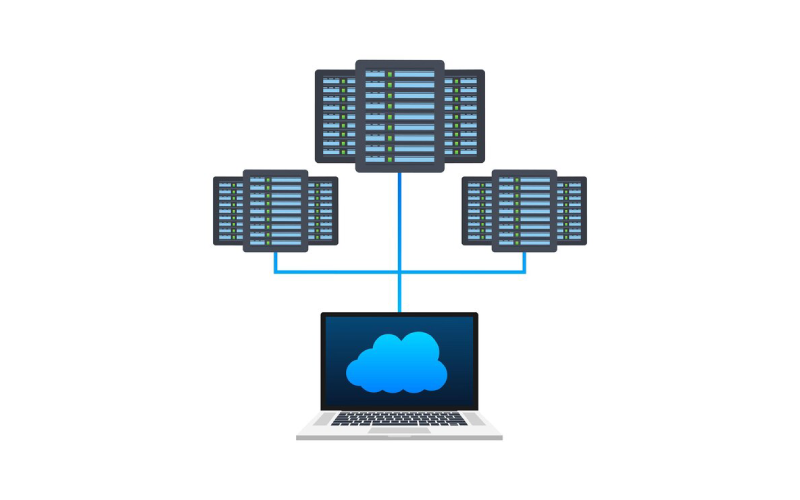
Choosing the right network load balancer depends on your specific needs, including traffic type, performance, and deployment environment. Understand whether you require a Layer 4 load balancer for fast TCP/UDP traffic handling or a Layer 7 option for more advanced routing based on application data. Consider if cloud-based solutions fit your setup since they offer easy scaling and integration but with some cost trade-offs. Evaluate key features like health checks, session persistence, and SSL termination that maintain reliability and security. Also think about redundancy to prevent downtime and monitor performance regularly. Balancing these factors helps select a load balancer that supports your growth without overcomplicating management.
Understanding What a Network Load Balancer Does
A Network Load Balancer (NLB) works at Layer 4 of the OSI model, meaning it handles traffic based on transport protocols like TCP and UDP without inspecting the content of the data packets. Its primary role is to distribute incoming network traffic evenly across multiple backend targets such as servers or containers. This balancing act helps prevent any single server from becoming overloaded, which improves overall availability and reliability of applications. Designed for high performance, NLBs can manage millions of requests per second with minimal latency, making them suitable for demanding environments. They maintain session integrity by consistently routing traffic for stateful applications, which is crucial when user sessions need to stay connected to the same backend resource. Health checks are an important part of an NLB’s functionality; they continuously monitor the status of backend targets and automatically reroute traffic away from any servers that are unhealthy or unresponsive. NLBs also adapt to changing workloads by scaling backend targets up or down as needed, which is especially useful for applications with unpredictable or volatile traffic patterns. Some network load balancers offer static IP addresses, simplifying firewall rules and security configurations since the IPs remain consistent. Additionally, many NLBs support SSL termination, which offloads the encryption and decryption workload from backend servers, freeing them up to handle application logic more efficiently. Whether deployed on-premises or managed through a cloud provider, NLBs provide a critical layer of traffic management that enhances both performance and reliability in modern network architectures.

Different Types of Load Balancers Explained
Load balancers come in several types, each suited to different needs and environments. Layer 4 load balancers work at the transport layer, routing traffic based on IP addresses and ports without inspecting the content. This approach offers great speed and simplicity, making Layer 4 ideal for high-performance scenarios where detailed traffic analysis isn’t required. On the other hand, Layer 7 load balancers operate at the application layer, enabling routing decisions based on HTTP headers, URLs, or cookies. This allows for finer control, such as directing users to different backend services depending on the requested content or user session.
In terms of deployment, hardware load balancers are physical devices designed for dedicated performance and security. They often include advanced traffic management and protection features, making them a solid choice for enterprise environments with strict requirements. However, they come with higher costs and less flexibility compared to other options. Software load balancers run on general-purpose servers or virtual machines, offering greater customization and cost efficiency. Popular examples include Nginx, HAProxy, and Traefik, each catering to different use cases from simple HTTP routing to complex containerized environments.
Cloud-based load balancers are managed services provided by cloud platforms like AWS, Google Cloud, or Azure. These solutions simplify integration with cloud resources and provide automatic scaling to handle variable traffic loads. Many cloud load balancers support both Layer 4 and Layer 7 traffic, giving users flexibility depending on their application needs. It’s also common to find hybrid setups that combine multiple types, such as using hardware load balancers for perimeter security while relying on software or cloud-based balancers internally for agility and cost savings.
Choosing the right load balancer depends largely on your workload size, performance demands, deployment environment, and budget. For example, a fast-growing cloud-native app might benefit from a cloud-based or software load balancer for easy scaling and customization. In contrast, a large enterprise with strict security requirements might prefer hardware load balancers for their robust features despite the higher expense. Understanding these differences helps ensure you pick a load balancing solution that fits both current needs and future growth.
Essential Features to Look for in a Load Balancer
When selecting a network load balancer, several key features can significantly impact your system’s performance and reliability. First, consider the load distribution algorithms it supports. Methods like Round Robin, Least Connections, and IP Hash influence how traffic flows and whether user sessions remain consistent, which is crucial for stateful applications. Health checks are another critical feature; they continuously monitor backend servers and reroute traffic away from unhealthy instances to prevent failed requests and downtime. Session persistence, or sticky sessions, ensures users stay connected to the same server, preserving session data for applications like shopping carts or user profiles.
SSL termination is essential for offloading encryption tasks from backend servers, improving overall response times and reducing server load. Look for a load balancer that supports scaling capabilities, including auto-scaling, so it can dynamically adjust backend resources according to traffic spikes or drops. Geographic load balancing is valuable if your users are distributed globally, as it directs requests to the nearest data center to reduce latency and improve speed.
Traffic prioritization allows you to allocate more bandwidth or give preferential treatment to critical services, which can help maintain quality during peak loads. Connection pooling minimizes overhead by reusing established backend connections, enhancing throughput and reducing latency. Integration with CDNs and edge computing platforms can further optimize content delivery by caching static assets closer to users and reducing the burden on origin servers.
Finally, customizable health checks and detailed monitoring tools provide better visibility into system status and help troubleshoot issues quickly. These features enable you to tailor your load balancer to your infrastructure’s unique needs and maintain a smooth user experience under varying conditions. Choosing a load balancer with these capabilities ensures it can adapt to your application demands while maintaining high availability and performance.
- Load distribution algorithms like Round Robin, Least Connections, and IP Hash affect traffic flow and session consistency
- Health checks monitor backend servers’ status and reroute traffic if issues arise to avoid failed requests
- Session persistence ensures users maintain connection with the same server for stateful application needs
- SSL termination offloads encryption tasks from backend servers, improving overall system performance
- Scaling capabilities, including auto-scaling, adjust backend resources dynamically to meet traffic demands
- Geographic load balancing routes users to the nearest data center to reduce latency and improve speed
- Traffic prioritization allows critical services to receive higher bandwidth or preferential treatment
- Connection pooling reduces overhead by reusing established connections to backend servers
- Integration with CDNs and edge computing optimizes content delivery and reduces load on origin servers
- Customizable health checks and detailed monitoring tools enable better management and troubleshooting
Choosing Cloud Load Balancers: AWS vs Google Cloud
When deciding between AWS Network Load Balancer (NLB) and Google Cloud’s load balancing options, it’s important to consider how each aligns with your specific needs. AWS NLB offers strong support for TCP, UDP, and TLS protocols, with the added benefit of static IP addresses through Elastic IPs. This makes it a solid choice for applications requiring consistent IPs and ultra-low latency. It also scales automatically to handle sudden traffic spikes, which is great for volatile workloads. Additionally, AWS supports containerized applications and multi-port target groups, allowing for flexible deployment scenarios.
Google Cloud provides a wider variety of load balancer types, including HTTP(S) Application Load Balancers and two flavors of Network Load Balancers: proxy and passthrough. Proxy load balancers terminate client connections, enabling features like SSL offloading but may obscure client IP information, while passthrough load balancers preserve the original client IP, useful for certain security or logging needs. Another advantage of Google Cloud is the option to deploy load balancers regionally or globally, helping meet compliance requirements or optimize performance based on user location.
Cost and performance can also be influenced by Google Cloud’s Network Service Tiers, which let users choose between premium and standard tiers depending on their priorities. Both AWS and Google Cloud integrate with auto-scaling groups and offer detailed health check configurations, helping maintain high availability.
Ultimately, your choice should depend on your traffic type and protocols, workload characteristics, and whether you need a regional or global presence. For example, if your application demands extreme performance with fixed IPs and handles TCP/UDP traffic, AWS NLB might be preferable. On the other hand, if you require advanced HTTP(S) routing with global load balancing or want to optimize cost-performance trade-offs, Google Cloud’s diverse offerings could be a better fit. Both platforms provide managed services that reduce operational complexity and improve reliability, so aligning the load balancer features with your technical and business requirements is key.
Factors That Influence Your Load Balancer Choice
Choosing the right load balancer depends heavily on your specific needs and environment. First, identify the traffic protocols your applications require. If your workload is mostly TCP or UDP-based, a Layer 4 load balancer is appropriate, offering fast, efficient routing without deep packet inspection. For HTTP/HTTPS traffic where you need application-aware routing based on headers, cookies, or URLs, Layer 7 load balancers provide the necessary intelligence.
Next, estimate your expected traffic volume and peak loads. This helps ensure the load balancer you pick can scale accordingly, whether through auto-scaling in the cloud or provisioning enough capacity on hardware devices. The deployment environment plays a big role too. Cloud-native apps benefit from managed cloud load balancers that integrate smoothly with auto-scaling and infrastructure-as-code workflows, while on-premises setups might require hardware or software load balancers with full control but added maintenance.
Cost is another key factor. Hardware load balancers typically involve upfront capital expenses and ongoing maintenance, while cloud services operate on pay-as-you-go pricing, offering flexibility but variable monthly costs. Consider your budget and how predictable your traffic patterns are.
High availability requirements push you toward solutions supporting multi-zone or multi-region deployment and redundancy strategies. This minimizes downtime by rerouting traffic if one zone or data center fails. Security features must also be evaluated. Look for SSL termination capabilities to offload encryption, integration with web application firewalls to block attacks, and DDoS protection to defend against traffic floods.
Session management is important for applications that maintain user state. Sticky sessions keep users connected to the same backend server, which is critical for shopping carts or login sessions, while stateless routing simplifies scaling and failover.
Monitoring and management tools are essential for maintaining performance and troubleshooting issues. Ensure the load balancer offers real-time metrics, logging, alerting, and supports automation through APIs or infrastructure-as-code tools.
Finally, think about future growth and flexibility. Choosing a load balancer that can grow with your traffic and adapt to new requirements reduces the need for costly replacements or complex migrations later on. For example, cloud-based load balancers often provide easier upgrades and integration with modern deployment pipelines compared to traditional hardware devices.
Common Issues and How to Avoid Them
One of the most frequent problems with load balancers is under-provisioning. When a load balancer cannot handle the traffic volume, it becomes a bottleneck, slowing down response times and hurting user experience. To avoid this, make sure to size your load balancer according to peak traffic and leverage auto-scaling if available. Another critical issue is the risk of DDoS attacks overwhelming the load balancer. Implementing protective measures like rate limiting, WAF integration, and DDoS mitigation services helps keep your infrastructure resilient.
Improper health check configuration is another common pitfall. Without accurate checks, traffic might be routed to unhealthy or offline servers, causing errors and downtime. It’s important to tailor health checks to your application’s specific needs and test them regularly. Session persistence failures can disrupt stateful user interactions, such as shopping carts or login sessions. Ensure your load balancer supports sticky sessions or alternative session management to maintain a consistent user experience.
Not deploying redundant load balancers creates a single point of failure. Running multiple load balancers in active-active or active-passive setups across availability zones reduces the risk of outages. Monitoring and alerting are often overlooked but essential. Without them, performance degradation or failures might go unnoticed, delaying response times. Set up continuous monitoring with clear alert thresholds to catch issues early.
Failing to configure SSL/TLS termination at the load balancer can expose backend servers to unnecessary encryption overhead and security risks. Offloading SSL at the load balancer improves backend efficiency and centralizes certificate management. Overcomplicated routing rules without thorough testing can cause traffic to be misrouted, leading to downtime or errors. Keep routing rules as simple as possible and validate them under load.
Lastly, neglecting to integrate your load balancers into disaster recovery plans can lead to prolonged outages during failures. Regularly test failover scenarios and ensure your load balancing setup supports quick recovery. Also, skipping updates and patches leaves the system vulnerable to bugs and security threats, so maintain a routine update schedule. Addressing these common issues proactively helps maintain a reliable, secure, and efficient load balancing environment.
Modern Load Balancing Techniques and Architectures
Modern load balancing goes beyond just distributing traffic to servers; it now involves smarter, more dynamic methods tailored for complex environments. Service mesh architectures use sidecar proxies to handle service-to-service load balancing and traffic control within microservices, enabling fine-grained routing, retries, and circuit breaking to isolate failing components and prevent widespread outages. Multi-cloud and hybrid load balancing solutions enable unified management across different cloud providers and on-premises setups, allowing seamless failover and traffic distribution that adapts to infrastructure diversity. Edge load balancing places traffic management closer to end users, reducing latency and improving security by handling SSL termination and DDoS protection at the network edge. Deployment strategies like blue-green and canary releases leverage load balancers to switch or split traffic between application versions, enabling zero downtime updates and gradual feature rollouts with traffic splitting that sends a percentage of users to new builds for testing in production. Load balancers are tightly integrated with container orchestration platforms like Kubernetes, dynamically adjusting backend targets as pods scale up or down. Automation and API-driven configuration allow rapid, repeatable deployment and scaling of load balancing rules, which is crucial for agile environments. Combining DNS-based global load balancing with network load balancers can efficiently distribute traffic across regions for better performance and disaster recovery. Emerging techniques also include the use of analytics and machine learning to optimize traffic routing based on real-time conditions, improving responsiveness and resource utilization. These modern architectures reflect the evolving needs of cloud-native applications and distributed systems, where flexibility, resilience, and intelligent traffic management are key.
Top Load Balancer Solutions in the Market
When it comes to selecting a load balancer, several well-known solutions stand out based on their features and use cases. Nginx is a popular open-source option, appreciated for its strong Layer 7 capabilities and widespread adoption, making it ideal for advanced HTTP routing and SSL termination. HAProxy offers high-performance load balancing at both Layer 4 and Layer 7, with robust health checks and flexible routing rules, favored in environments needing fine-tuned traffic control. For cloud-native architectures, AWS Elastic Load Balancing delivers managed Application, Network, and Gateway load balancers that automatically scale and integrate seamlessly with other AWS services. In enterprise settings where security and traffic management are paramount, F5 Networks provides hardware load balancers known for their high throughput and extensive security features. Traefik is gaining traction as a cloud-native load balancer designed specifically for containerized workloads and Kubernetes integration, simplifying dynamic service discovery and configuration. Additionally, Microsoft Azure Load Balancer and Google Cloud Load Balancing offer solid cloud-managed options that support both Layer 4 and Layer 7 traffic with global reach and resilience. Many software load balancers support plugins and integrations for logging, metrics, and security enhancements, giving added flexibility. Hardware-based load balancers remain preferred in high-security or regulated environments due to their dedicated throughput and physical isolation. On the other hand, cloud load balancers appeal to modern applications by simplifying operations and scaling automatically without manual intervention. Ultimately, the right choice depends on matching the load balancer’s technical strengths with your operational needs and budget constraints, whether that means open-source software, enterprise hardware, or managed cloud services.
Balancing Performance, Cost, and Security
Choosing the right network load balancer means carefully weighing performance, cost, and security to fit your specific needs. High-performance load balancers can drastically reduce latency and improve user experience, but they often come with higher costs and added complexity. For example, hardware load balancers offer predictable, consistent performance but require upfront investment and ongoing maintenance, which may not suit organizations with fluctuating traffic or limited budgets. On the other hand, cloud-managed load balancers provide cost flexibility through pay-as-you-go pricing and automatic scaling, but their performance can vary depending on workload and network conditions.
Security is another critical factor. Features like SSL offloading help reduce the processing burden on backend servers, yet they introduce overhead at the load balancer level. Integrating firewalls, Web Application Firewalls (WAFs), and DDoS protection adds to both cost and complexity but significantly lowers the risk of downtime caused by attacks. For applications that maintain user sessions, enabling session persistence improves user experience but increases resource consumption, so it’s important to balance that against the expected traffic and backend capacity.
Effective monitoring plays a key role in this balance. By continuously tracking performance metrics and bottlenecks, you can optimize resource allocation and avoid over-provisioning, which wastes money. Automation of configuration and scaling reduces operational costs and human errors, ensuring the load balancer adapts smoothly to changing demands. Ultimately, the right mix depends on how critical your application is, the nature of your traffic patterns, and your organization’s priorities around budget, security, and performance.
Frequently Asked Questions
1. What key factors should I consider when selecting a network load balancer for my application?
You should look at your traffic volume, application type, required protocols, performance needs, and scalability. Also consider the load balancer’s ability to handle failover, security features, and ease of integration with your existing setup.
2. How does type of load balancing method impact my network’s performance?
The method, such as round robin, least connections, or IP hash, affects how traffic is distributed among servers. Choosing the right method ensures balanced workloads, reduces bottlenecks, and improves responsiveness based on your specific application demands.
3. What advantages do cloud-based load balancers offer over traditional hardware ones?
Cloud-based load balancers provide flexibility, automatic scaling, and easier management without upfront hardware costs. They often integrate well with cloud services and offer better fault tolerance, making them ideal for dynamic and expanding environments.
4. How important is protocol support when choosing a network load balancer?
Protocol support matters because it determines whether the load balancer can manage your application traffic properly. Ensure the balancer supports the protocols your app uses, like HTTP, HTTPS, TCP, or UDP, to maintain optimized performance and security.
5. Can a network load balancer help improve application security, and if so, how?
Yes, many load balancers include features like SSL offloading, DDoS protection, and web application firewall capabilities. These help safeguard your apps by managing encryption efficiently and filtering harmful traffic before it reaches your servers.
TL;DR Choosing the right network load balancer means understanding your traffic type, scalability needs, and deployment environment. Network load balancers handle high volumes at Layer 4, while application load balancers manage complex routing at Layer 7. Consider features like health checks, session persistence, SSL termination, and auto-scaling. AWS and Google Cloud offer strong cloud-native options with varying capabilities. Balance performance, cost, and security, and prepare for common challenges like misconfigurations and DDoS attacks. Modern architectures include service mesh and multi-cloud setups. Popular solutions range from open-source tools like Nginx and HAProxy to managed cloud services. Proper selection and management ensure reliable, efficient traffic distribution that supports your application’s growth and availability.